Pop Color: Coloring & Painting
DongbasikiArt & Design
3.634.00 Reviews
- Version
- 1.0.8
- Installs
- 1.00M
- Age Rating
- Everyone
Screenshots
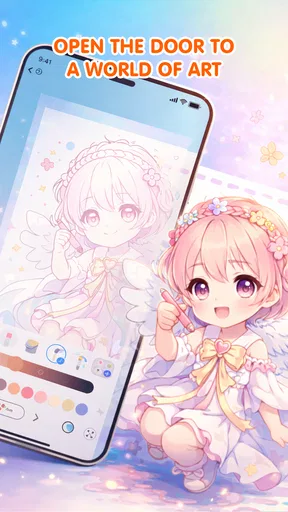
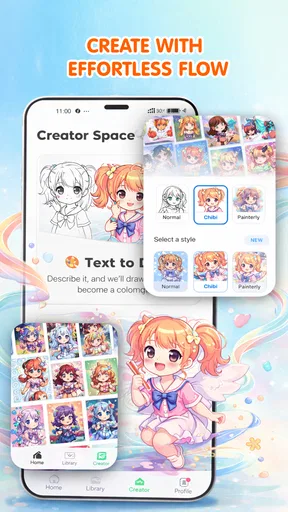
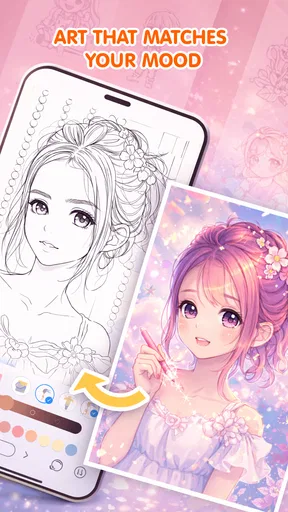
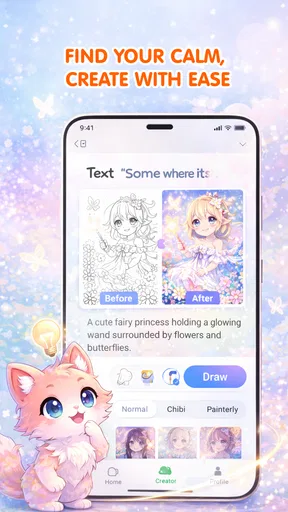
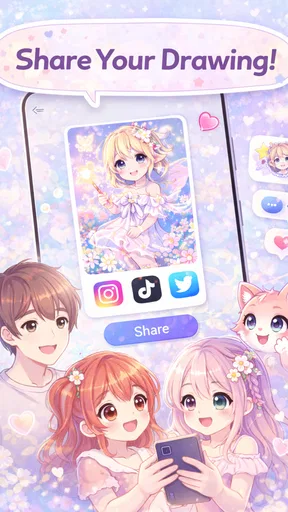
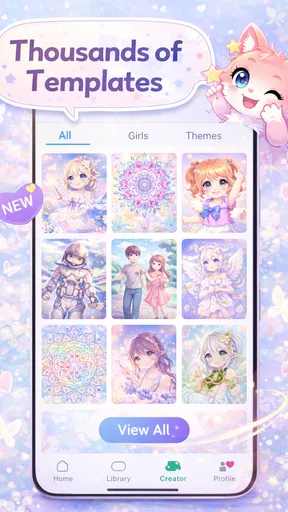
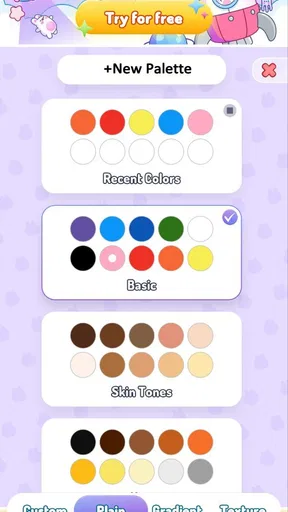
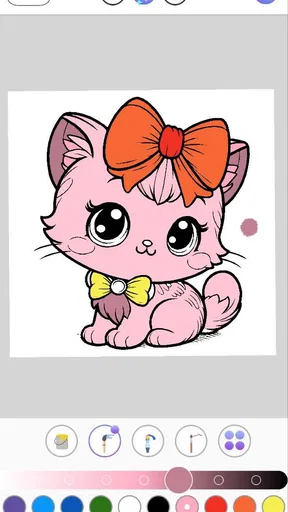
Our Review of Pop Color: Coloring & Painting
 Analysis by Appyee
I spent time with Pop Color: Coloring & Painting as a casual art app, and my first impression was straightforward: it is built for relaxing rather than for serious digital illustration. The idea is easy to understand, the age rating is Everyone, and the free entry point makes it approachable for children, adults, and anyone who wants a low-pressure creative break. I would describe it as a coloring companion with painting and drawing elements, not as a replacement for a professional sketching suite.
That distinction matters. When I open an app in this category, I usually want one of three things: a calm activity after work, a simple way to keep a child occupied, or a blank space where I can draw without learning a complicated interface. Pop Color aims at the first two especially well. Its appeal comes from reducing the effort between opening the app and making something colorful.
How Pop Color fits into everyday creative time
The application sits in the Art & Design category and comes from Dongbasiki. It has reached over a million installs, which suggests that its simple concept has found a sizable audience. Its average rating is 3.6, so I would not approach it expecting universal praise or a flawless experience. That middle-ground rating feels consistent with an app that can be pleasant for casual use while still leaving room for interface, content, or monetization preferences to divide users.
The current version is 1.0.8, and the app was released on February 25, 2026. It requires Android 9 or later, which is useful to check before trying it on an older phone or tablet. The practical takeaway is that compatibility is broad enough for many relatively recent devices, but an aging Android handset may still be outside the supported range.
In ordinary use, the strongest reason to choose it is convenience. A coloring app does not need to compete with a full drawing program on brush control, layers, or precision tools if its real purpose is helping people unwind. I found the concept most convincing when treated as a short session: pick a page or activity, add color, and stop whenever the moment is over. That makes it easier to fit into a lunch break, a commute, or the few minutes before bed.
A calmer alternative to starting from a blank canvas
Blank-canvas drawing can be intimidating. Even when an application provides excellent tools, I can spend more time deciding what to draw than actually drawing. A coloring-focused workflow removes that first obstacle. It gives me a visual structure to respond to, which is helpful when I want creative activity without the pressure of producing an original composition.
This is also where the app can work for families. Someone who is still learning how colors interact can experiment inside a defined image instead of worrying about proportion or perspective. Adults may appreciate the same structure for a different reason: it turns art into a repetitive, focused activity rather than another task that demands planning.
My useful tip is to treat each session as a small exercise instead of trying to finish everything in one sitting. Choosing a limited color group before beginning can make the result look more intentional and keeps the activity from becoming tiring. It also gives the app a little more depth than simply tapping whatever color appears first.
What the free entry point really means
Pop Color is free to download and use as an entry point, which is important for anyone testing a new creative app. You can decide whether the basic experience suits you before committing money. That is a better arrangement than paying upfront for an app whose drawing style or available content may not match your taste.
There are in-app purchases priced from $4.99 to $19.99 per item. I would therefore separate the decision into two parts: whether the free experience is enjoyable enough for occasional use, and whether additional paid content would be worthwhile for someone who uses it regularly. The existence of those purchases means “free” should be read as free access to start, not as a promise that every part of the experience has no cost.
I would not assume that paying automatically makes the app better for every user. If you only want a few relaxing coloring sessions, the free portion may be enough value. If you expect to return often and find the available paid material particularly useful, a purchase may make more sense. The right choice depends on how much you actually use the app, not simply on the presence of a discount or a premium label.
For parents, this is worth handling deliberately. The Everyone rating makes the app broadly suitable by age, but an age rating does not answer the separate question of whether optional purchases fit your household. I would let a child explore the creative side while keeping purchase decisions with the adult. That keeps the app’s low-pressure appeal from turning into an unexpected expense.
Where the experience delivers genuine value
The clearest value is emotional rather than professional. Pop Color can give a person a quiet activity that feels productive without demanding a finished artistic result. I like that category of app when my attention is scattered. Coloring gives my hands something simple to do while my mind gradually settles, and the defined artwork removes the fear of making a mistake on an empty page.
It can also be useful as a gentle introduction to digital art. A child or beginner who is curious about coloring on a phone may find this less intimidating than an advanced drawing tool. The experience encourages experimentation with hue and contrast without requiring knowledge of layers, file formats, or complex brush settings.
Another practical use is shared screen time. A parent and child can choose colors together, or two friends can compare the different moods created from the same kind of artwork. That is not the same as collaborative editing, and I would not treat it as such; the value comes from discussing choices and showing results, not from assuming the app includes a specific social system.
For an adult who already owns a professional illustration app, Pop Color may still have a place as a lighter alternative. A serious drawing suite is better when I need exact control, original composition, or a project that can grow over several sessions. Pop Color is more attractive when I want to avoid that complexity. The trade-off is clear: less creative overhead, but also less room for advanced artistic control.
Everyday scenarios where I would use it
Imagine arriving home after a noisy day and having ten minutes before dinner. Opening a full art program might feel like work because it presents too many decisions. A coloring activity is easier to begin. I can focus on choosing a palette, filling areas, and stopping without needing to save a polished project for later.
A second scenario is a child waiting during an appointment. A phone or tablet with Pop Color can offer a quiet, age-appropriate activity that does not require reading a long tutorial. I would still supervise the device and manage any purchase settings, but the basic concept is suitable for a short waiting period.
A third scenario is creative warm-up. Before attempting a personal drawing, I might spend a few minutes coloring to get comfortable with combinations I would not normally choose. This is a small but useful workflow: use the structured activity to explore color relationships, then carry the ideas into a separate sketching app if more control is needed.
One limitation is that coloring can become repetitive if the available material does not match your interests. Someone who needs fresh challenges, technical lessons, or a strong sense of progression may quickly outgrow a simple coloring routine. In that case, a drawing course, a vector editor, or a more advanced illustration application would be a better investment of time.
Trade-offs to consider before spending
The rating of 3.6 from around 1.4 thousand ratings is a useful warning to keep expectations measured. It does not tell me exactly why individual people rated the app as they did, but it does suggest that the experience is not universally satisfying. I would install it with the mindset of testing the basic workflow rather than assuming that popularity guarantees a perfect fit.
The main trade-off is simplicity versus control. An app designed around relaxing coloring can be easier to understand than a professional canvas, but that same simplicity may feel restrictive to experienced artists. If you want detailed brush behavior, precise editing, or a serious project workflow, I would look elsewhere. Pop Color makes more sense when speed and accessibility matter more than technical depth.
There is also a difference between free value and paid value. The free starting point lowers the risk of trying it, but the optional items create a decision point for regular users. I would recommend using the app long enough to learn whether you return naturally before buying anything. A purchase is easier to justify when it supports a habit you already have, rather than when you hope payment will create that habit.
Storage and device comfort can affect the experience too, even with a lightweight creative concept. Coloring on a small phone screen may be perfectly fine for quick sessions but less comfortable for detailed areas. A larger tablet can make the activity more pleasant, especially for children or anyone who prefers to see the whole image clearly. I would choose the device based on the size and precision of the artwork, not just on whether the app installs.
Another realistic limitation is that digital coloring does not replace the tactile feel of paper. If your goal is to relax through pencils, markers, or paint, a physical coloring book may be more satisfying. Pop Color wins on portability and cleanup, while traditional materials offer texture and a different kind of sensory feedback. Neither option is automatically superior; they serve different moods.
Who will get the most from it
I would recommend Pop Color to beginners who want a friendly introduction to coloring on a mobile device. It is also a reasonable choice for adults seeking a short, uncomplicated way to disconnect from more demanding apps. Families may find the Everyone rating reassuring as a starting point, while still keeping purchases under adult control.
It is particularly suitable for people who say they are “not artistic” but still enjoy color. The structured format lowers the skill barrier and lets the user focus on preference rather than accuracy. That can make the first session feel successful even when the person has no experience with digital drawing.
People who should skip it are more specific. I would not choose it as my main tool for professional illustration, detailed concept work, typography, photo editing, or learning advanced digital painting. I would also hesitate if I disliked the idea of optional purchases or wanted a completely open-ended canvas from the first tap. In those cases, a dedicated drawing or painting app is likely to offer better long-term value.
The app is also less compelling for someone who needs a strong educational structure. Coloring can help build comfort with visual choices, but it is not the same as guided instruction in anatomy, perspective, composition, or color theory. If learning is the priority, choose a tool or course designed around lessons rather than relaxation.
My verdict on value and whether to try it
After weighing the free access, the optional purchase range, the moderate rating, and the app’s clear focus, I see Pop Color as a low-risk casual download rather than an essential art tool. Its best quality is that it makes creative time feel easy to begin. That matters when the alternative is opening a complicated program and abandoning it before making the first mark.
I would try the free experience if I wanted coloring, painting, and drawing in a relaxed format and my device runs Android 9 or later. I would spend money only after confirming that I return often enough to benefit from the additional content. The free starting point is the strongest reason to test it; the paid items should be judged by actual continued use.
My final recommendation is positive but selective. For a child, beginner, or tired adult looking for a calm creative pause, Pop Color can be a pleasant fit. For an artist who needs control, instruction, or a professional workflow, it is the wrong category of tool. I would install it for relaxation, give the basic experience a fair trial, and keep expectations centered on simple enjoyment rather than advanced digital art.
In short, Pop Color: Coloring & Painting earns its place through accessibility and convenience, not technical ambition. Dongbasiki has positioned it as an approachable Art & Design app, and that is exactly how I would use it: a portable coloring break, a beginner-friendly experiment, and an occasional alternative to a blank canvas. If that sounds like the kind of creative time you want, it is worth trying before deciding whether any optional purchase adds enough value for you.
Verdict
Strengths of Pop Color: Coloring & Painting
- Simple coloring tools are suitable for beginners and casual users.
- Bright color palettes make finished artwork look lively and attractive.
- Works well for short creative breaks or relaxing sessions.
- A broad range of pictures offers variety across different interests.
- Completed drawings can be saved and shared with friends or family.
Limitations of Pop Color: Coloring & Painting
- Some artwork or features may require in-app purchases to unlock.
- Repeated coloring patterns can feel less creative for advanced artists.
- Ads may interrupt the experience, especially in the free version.
- Small details can be difficult to color accurately on compact screens.
- The app may use noticeable storage as its picture library expands.
Similar Picks in This Category
View All
Canva: AI Photo & Video Editor
Canva4.8

PENUP – Drawing-sharing SNS
Samsung Electronics Co., Ltd.4.5

Crafto
Kutumb App4.6

Sketchbook
Sketchbook4.1

ibis Paint X
ibis inc.4.5

Adobe Express: AI Photo, Video
Adobe4.6
Frequently Asked Questions
What is Pop Color: Coloring & Painting, and how does it work?
Pop Color: Coloring & Painting is a casual digital coloring app designed for relaxing, creative play. After opening the app, you can choose an illustration from its available categories and fill the numbered or outlined areas with matching colors. The straightforward controls make it accessible for beginners, while the variety of pictures gives users a simple way to spend a few quiet minutes creating colorful artwork.
Is Pop Color: Coloring & Painting suitable for children?
The app can be suitable for children who enjoy coloring, especially because its basic tap-to-fill controls are easy to understand. However, parents should review the app’s age rating, advertising, in-app purchase settings, and privacy information before allowing independent use. Depending on the device version and app configuration, some content or features may require supervision, particularly when the app is connected to the internet.
Does Pop Color: Coloring & Painting require an internet connection?
Some parts of Pop Color: Coloring & Painting may work without a constant connection, particularly when using illustrations or features already stored on the device. Nevertheless, internet access can be needed for downloading new images, displaying advertisements, synchronizing progress, or accessing optional online content. If offline use is important to you, test the app after disabling mobile data and Wi-Fi to see which features remain available.
Are there advertisements or in-app purchases in Pop Color: Coloring & Painting?
Users should expect that a free coloring app such as Pop Color: Coloring & Painting may include advertisements, optional purchases, or both, although the exact options can vary by platform and version. Ads may appear between activities or while unlocking content, while purchases can potentially remove advertising or provide additional pictures and tools. Check the store listing and purchase settings before downloading, especially on a shared family device.
Is Pop Color: Coloring & Painting worth downloading?
Pop Color: Coloring & Painting is worth considering if you want a simple, low-pressure coloring experience rather than a complex illustration program. Its main strengths are accessible controls, relaxing gameplay, and the ability to create finished images without drawing skills. It may be less appealing to advanced artists who need detailed brushes, layers, or professional export tools. Your decision should also depend on tolerance for advertisements and optional paid content.
